Problems faced by stakeholders using Daylite CRM...
UX
Interface learning
curve is pain,
its click Intensive
Data Entry
Dedicated admin
person needed to
Enter the data all time
Documentation
Regret about no real documentation
management or keeping knowledge data of potential clients
Linking relation
Please reduce the
number of clicks required to create
links and relation.



Deep diving and understanding the factors
Project Duration : 8 Week - The duration was split into : Task, SWOT, Comparative analysis | Hypothesis testing | Target group primary research | Synthesis of Interview | Finalising opportunity areas | Persona Development | Developing HMW questions | Paper prototyping | High Fidelity wireframes | Final prototyping and user testing.
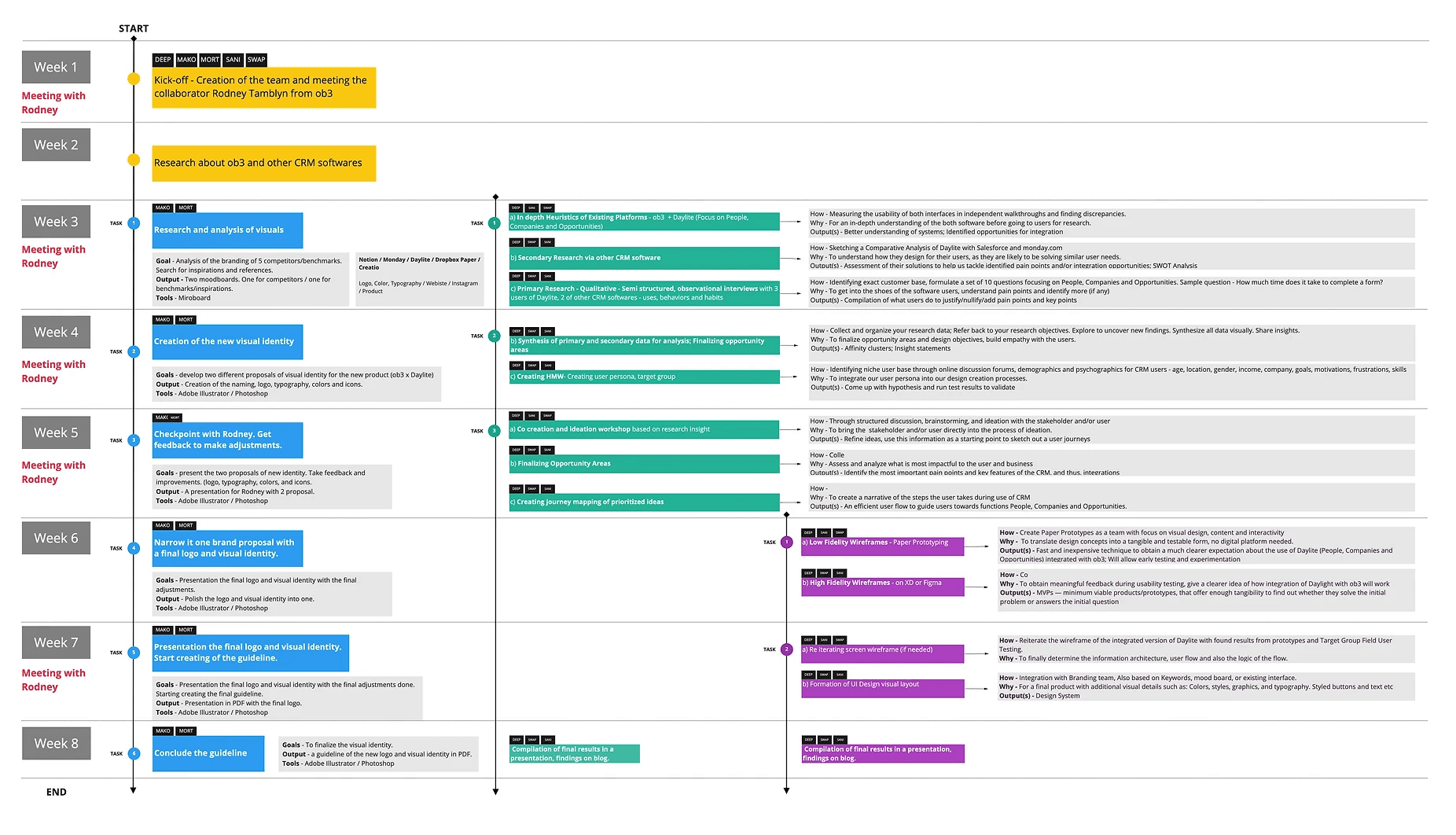
Starting with Task and Heuristic Analysis of client existing system
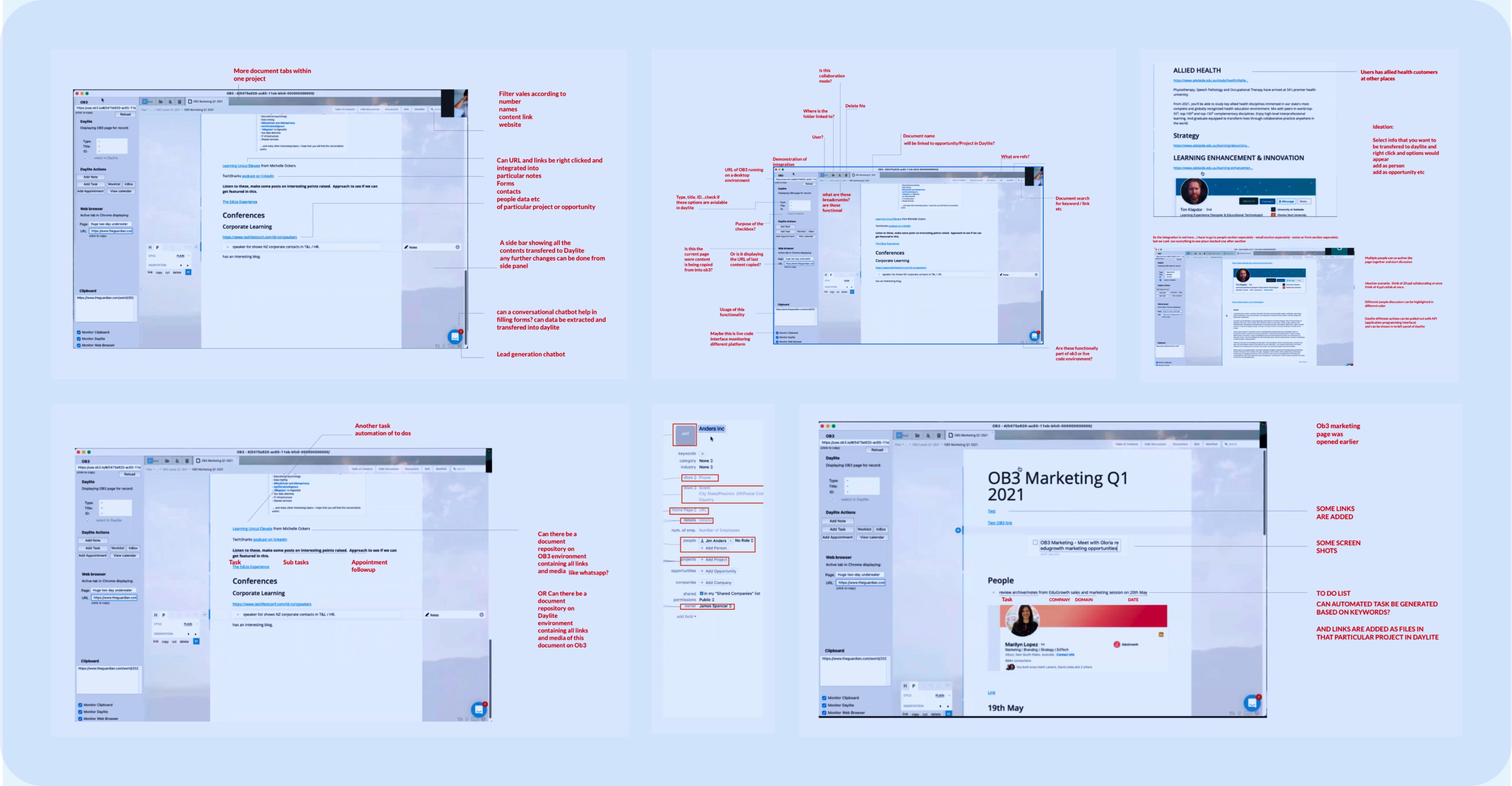
Also continuing and doing task analysis of Daylite CRM
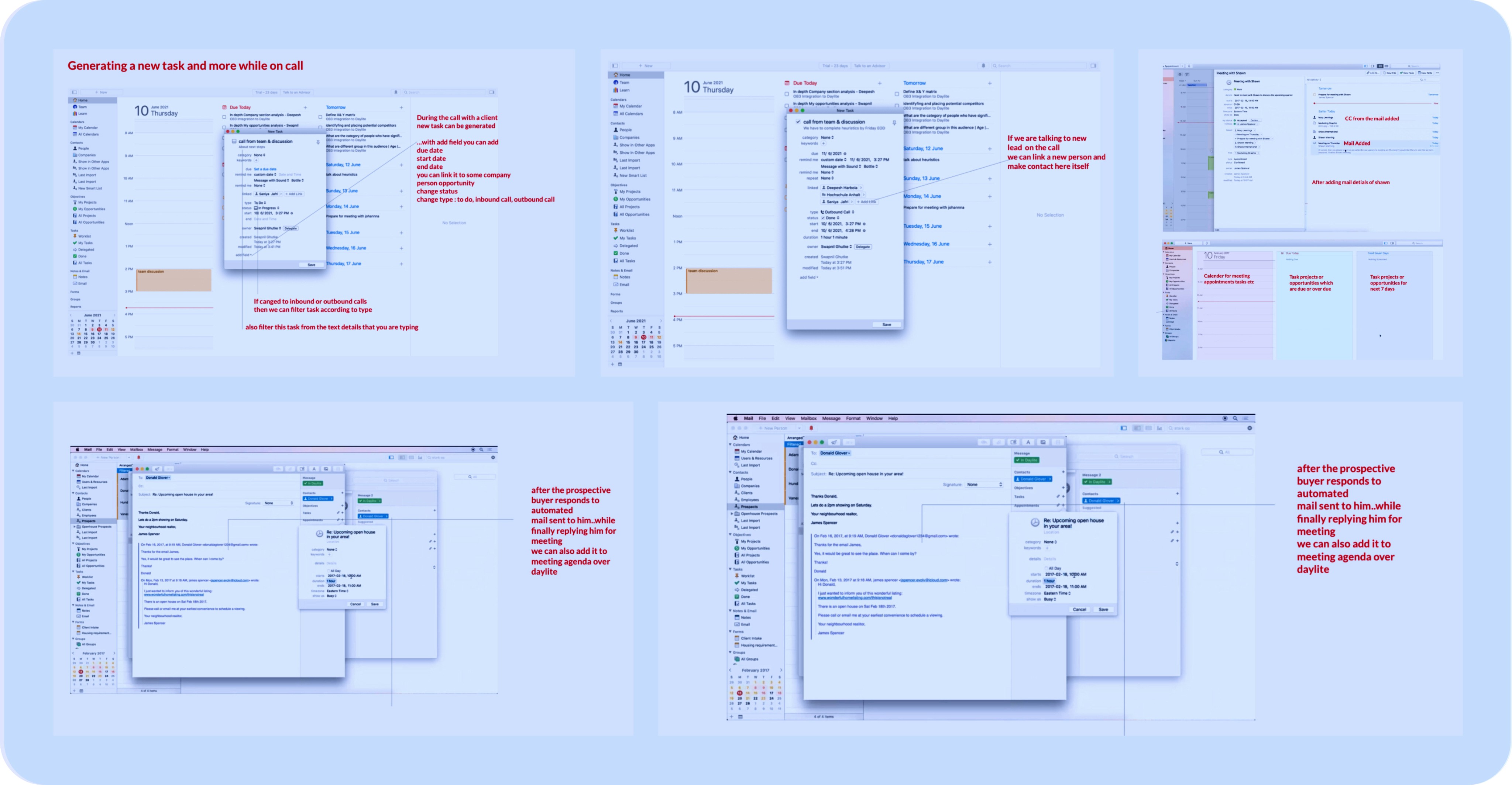
Secondary research and comparative analysis of other similar services based on...
Linking customer and enterprise data and relations
Ease of entry of data
(less type and clicks)
Multimedia
Documentations and sharing
New client - research & Knowledge building
Collaborations
within platforms
Task automation options
Discussion, Comments and tagging







5 to 100
2 to 500+
30 to 500+
1 to 10000+
500 to 10000+
10000+
Enterprise type
Linking of ecosystem
Collaboration
Multi media documentation
Discussion comments
clients research building
Automation
Ease of data entry
Formulating hypothesis of target group based on secondary analysis...
Why integrate the
plugin to Daylite ?
Lacks document collaboration functionality.
Falls short in fast and efficient creation of client knowledge.
OB3's Mission: Strengthen customer knowledge development.
Target B2B companies.
Faster follow-ups, quick information transfer, etc.
Building a far more collaborative information report of customers
Interest a small subset of businesses but offer lot of value.
Target small to medium scale B2B enterprise
Automating essential info, media-rich content authoring, link info
Focus just on small to medium scale business for MVP.
Who will use plugin?
define 2 major audience.
B2B sales/marketing seeks new business, maintains frequent customer follow-up.
Accumulate client data from reports, client messages
Teams trying to engage in the selling process
People who have teams, where they need more collaboration...
A medium company with thirty people staff doing B2B sales.
Daily task: Enter data in daylite for leads, clients; build robust documentation.
People who are not so good with technology
Individuals working 4 hours daily, with limited opportunities.
Critical success factors
Developing a Confluence-style system, focusing on B2B sales knowledge building and team collaboration.
Focusing on sales staff, having a company strength of not more than 50 people.
The system is developed for the Mac platform (Premium users), not all SMEs will have Mac
Real-time data transfer: contact creation, client info from web/docs (keywords, company details, project estimates).
Making it not so complex like the notion or Monday.com.
Taking the power of daylite linking function and adding a collaborative environment into it.
Ideas to work upon…
(Based on time limit)
Leveraging OB3 for media-rich email communication (e.g., marketing, contact) linked with Daylite for seamless authoring of emails and newsletters.
App potential: Integrate OB3 doc and embedded browser for seamless interaction. Selecting text suggests actions in a document or Daylite.
Automation of tasks
Clustering Interview data and forming synthesis
UI
UI is outdated, needs modern standard update.
Inadequate for quick and efficient client knowledge creation.
UX
Adopt a more Kaizen approach
Can add a internal video call service as extention
Steep learning curve for the interface; requires time and resources.
Its click intensive
Data Entry
Data entry slowed by outdated interface.
Require admin for data entry and ongoing updates; not a DIY task.
Difficult to copy and share Daylite contacts with other apps easily.
Wish it allowed more automation
Entering crucial info takes time and discipline; some data can't be imported.
Excessive clicks and screens for simple tasks; data input takes longer.
Links & Relationship
Minimize clicks for link and relationship creation.
More automation required
Unable to export contacts to email; had to manually copy-paste for party invites.
Discussion & messaging
No innovation when comes to messaging
No facebook, whatsapp, imessage integration
Require easier adding of contacts for messenger-initiated conversations.
Many customers approach via different mediums not just mail
Maps
Google Maps contact integration when searching a vicinity.
Add all displayed businesses in a map area to Daylite.
Import all businesses from a specific map area.
Task
Automate more tasks beyond reminders for increased efficiency.
3rd party integration
Its sluggish and not smooth
LinkedIn integration for fetching client info.
LinkedIn campaigns to connect with business contacts, and expand networks.
Documentation
Dropbox like feature is necessarry
Prefer merging from reports for letter writing, reducing manual merging
Journal that allows to select week & see everything that i touched in the time period
Scan handwritten notes with OCR text conversion & import to notes.
lack of document management; desire Dropbox-like tool.
custom Report generation is absolute pain
report generating is horrible
Click on multiple mail at once and connect them all at once to opportunity, appointments instead of adding one by one
Email marketing tracking & management not there
Cant save attachments which are coming with images
Development of Personas based on the findings
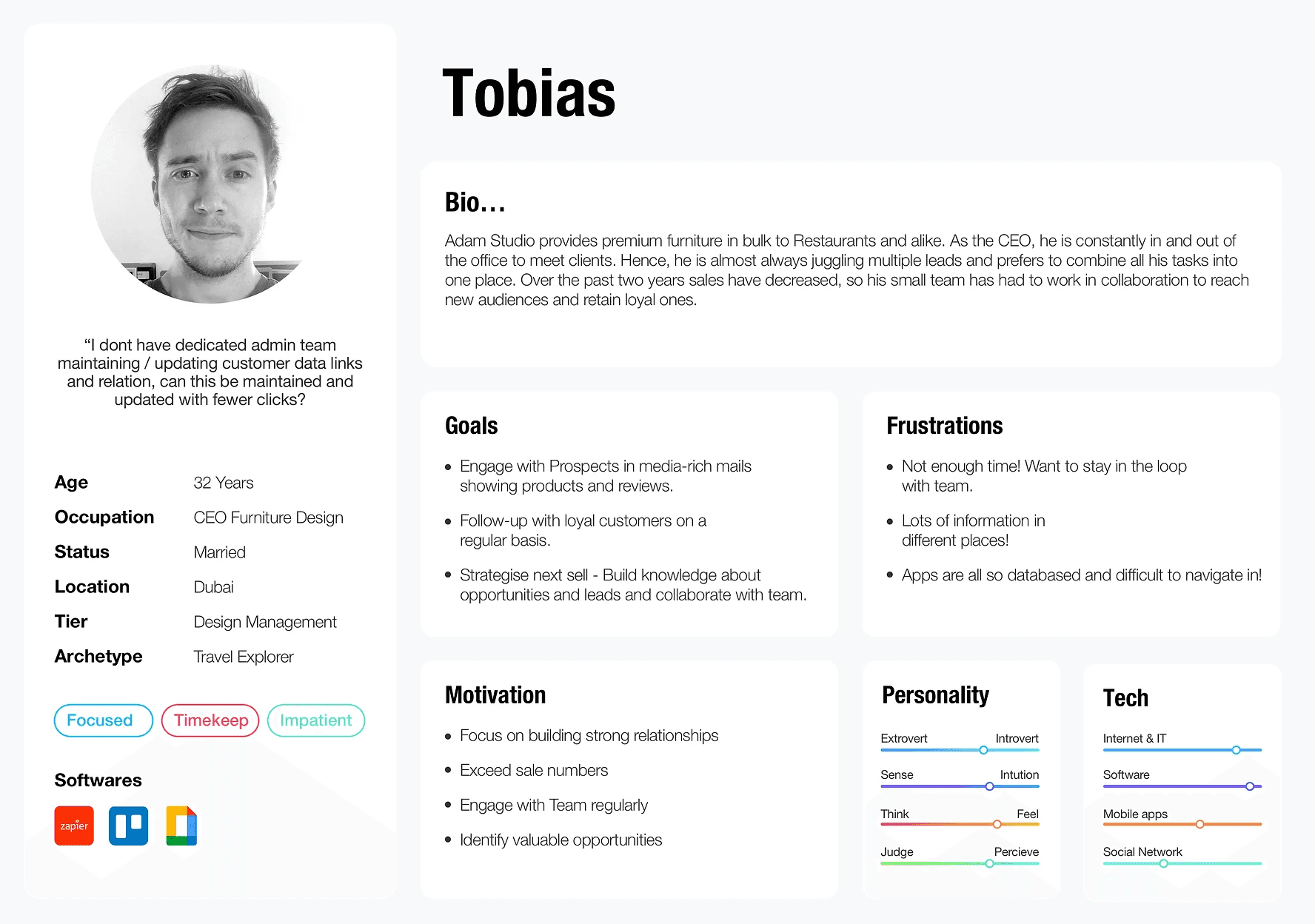

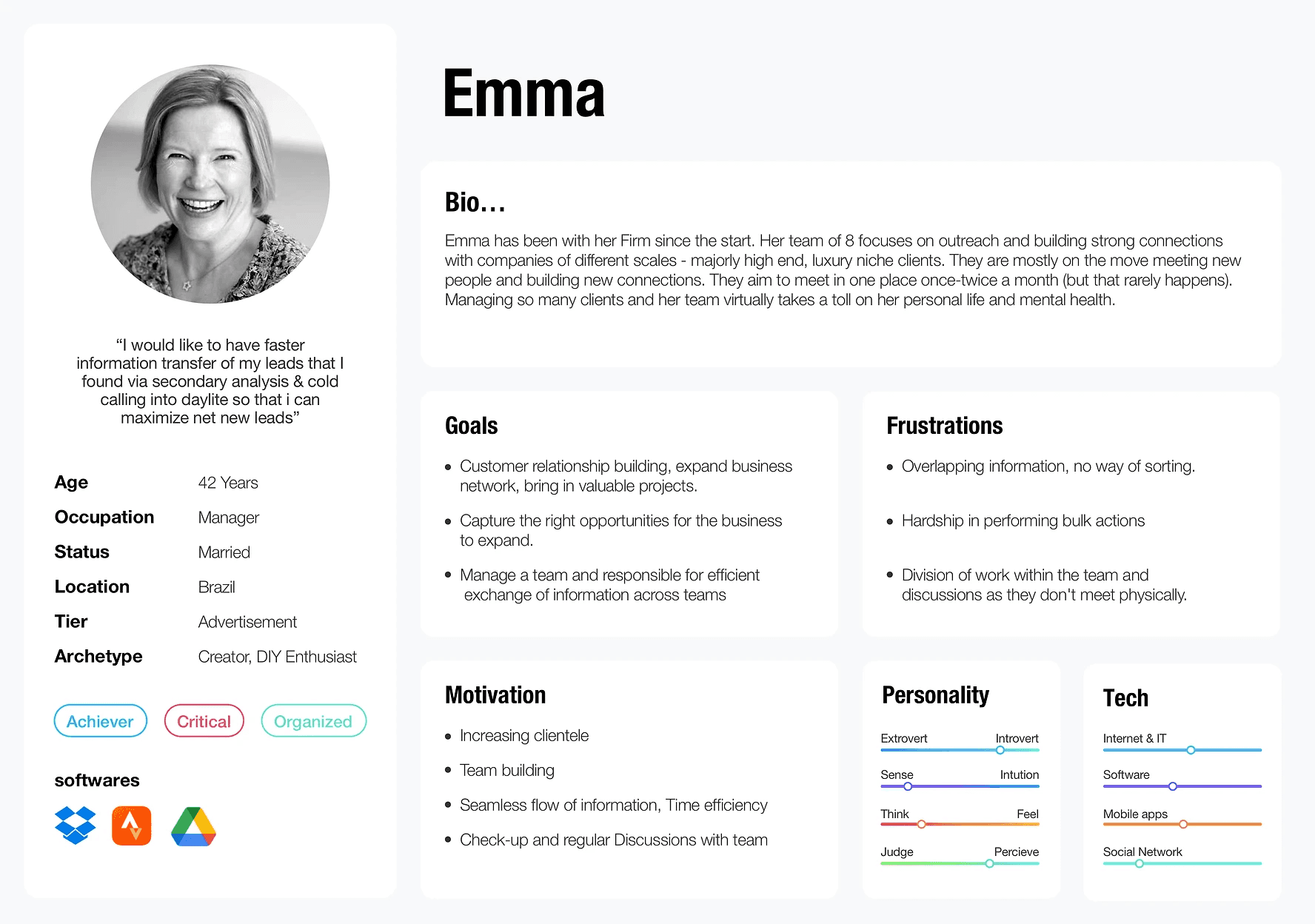

Developing how might we questions based on persona and interview findings
Business Development Executive
Desire:
All-in-one platform for documentation (sheets, slides, docs, videos, screenshots) and links in one place.
Purpose:
Document customer needs
Research comprehensive customer acquisition strategy
Goal: Drive value across multiple product categories with complex needs
Activities:
Research and Schedule in-person presentations with top executives
Platform Features:
OB3 window opens multimedia files (e.g., Excel sheets, slides, docs, etc.) for potential clients.
Right panel performs Daylite actions parsing data from the OB3 Multimedia and transferring into daylite
Sales lead generator at Quill
Desire: Kanban framework
Purpose: Monitor weekly sales activity, quota goals
Track sales process stages
In backlog
In progress
In the closing deal stag
Site Account Manager
Desire: Video call service
Purpose: Schedule calls with regional managers
Daylite Integration: Link persons on call to:
Daylite reports
Scheduled tasks and activities
Notes, Forms
Customer Executive
Desire: Fast, efficient customer data entry into daylite
Purpose: Ensure proper, accurate data for reporting and analysis
Company Size: Small
customer Interactions via: Phone, email, chat, social media
Challenge: Manage extensive incoming customer lead data
Current Tool Utilised: Customer call tracking tool
Teams Managing account sales and strategy
Desire: Easy link and tag teammates in client research docs.
Environment: Team selling
Purpose:Teams easily open comment links in OB3 docs, resolve new lead tasks.
Focus Areas:
Seamless new leads account handoff
Efficient communication among team members
Inside Sales Consultant
Desire: Generate Leads from maps
Purpose: Maximize cultivating new leads in assigned geography
Source of Leads: Area Secondary analysis, cold calling
Developing Ideating on wireframes reflecting the opportunity areas

Low fidelity wireframes
I started with low-fidelity wireframes to quickly test and gain feedback. This helped me explore a large number of ideas in a short span of time and incorporate the user feedback for each flow.
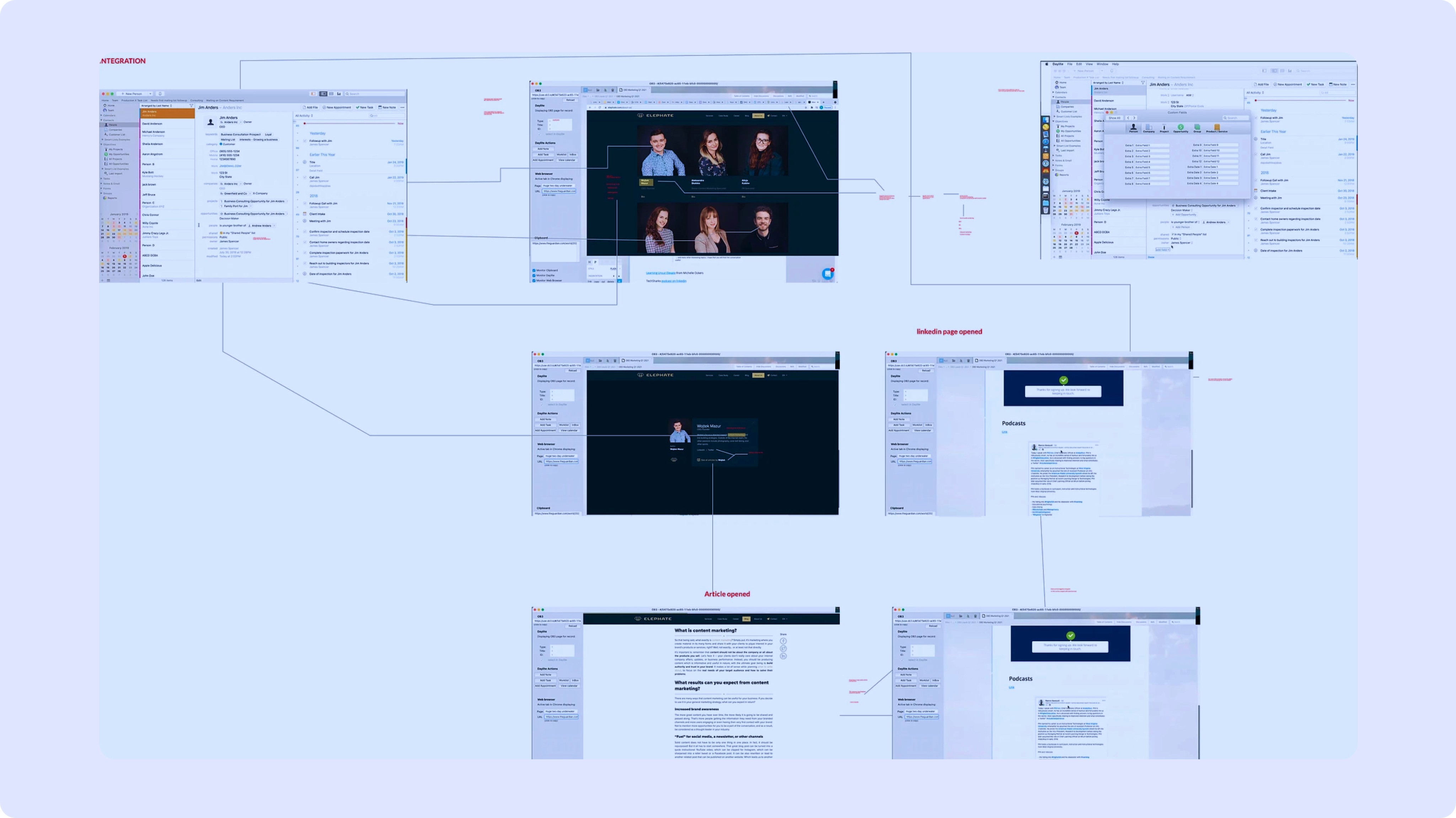
Stakeholder feedback on 1st iteration.
For MVP, Due to limited development pipeline, client gave following feedback.
Minimize the product flow to just core customer knowledge documentation features, and linking it to different tasks, relations and schedules inside daylite.
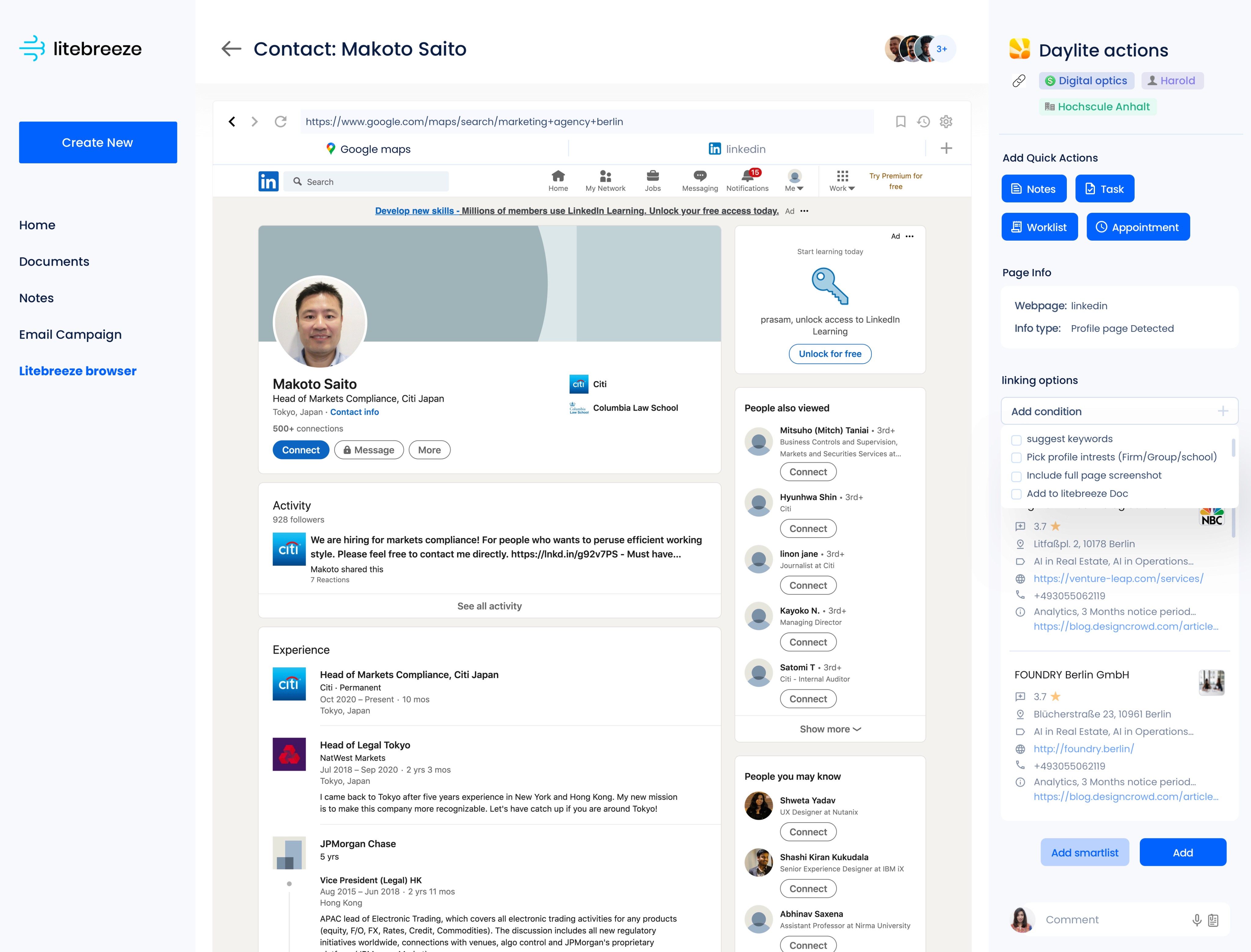
Focus on features related to Browser integration, where potential clients data can be parsed from web, and all their contact informations are auto generated.
It was also suggested to make a native Mac plugin, with HMI native to Mac instead of a web product platform.
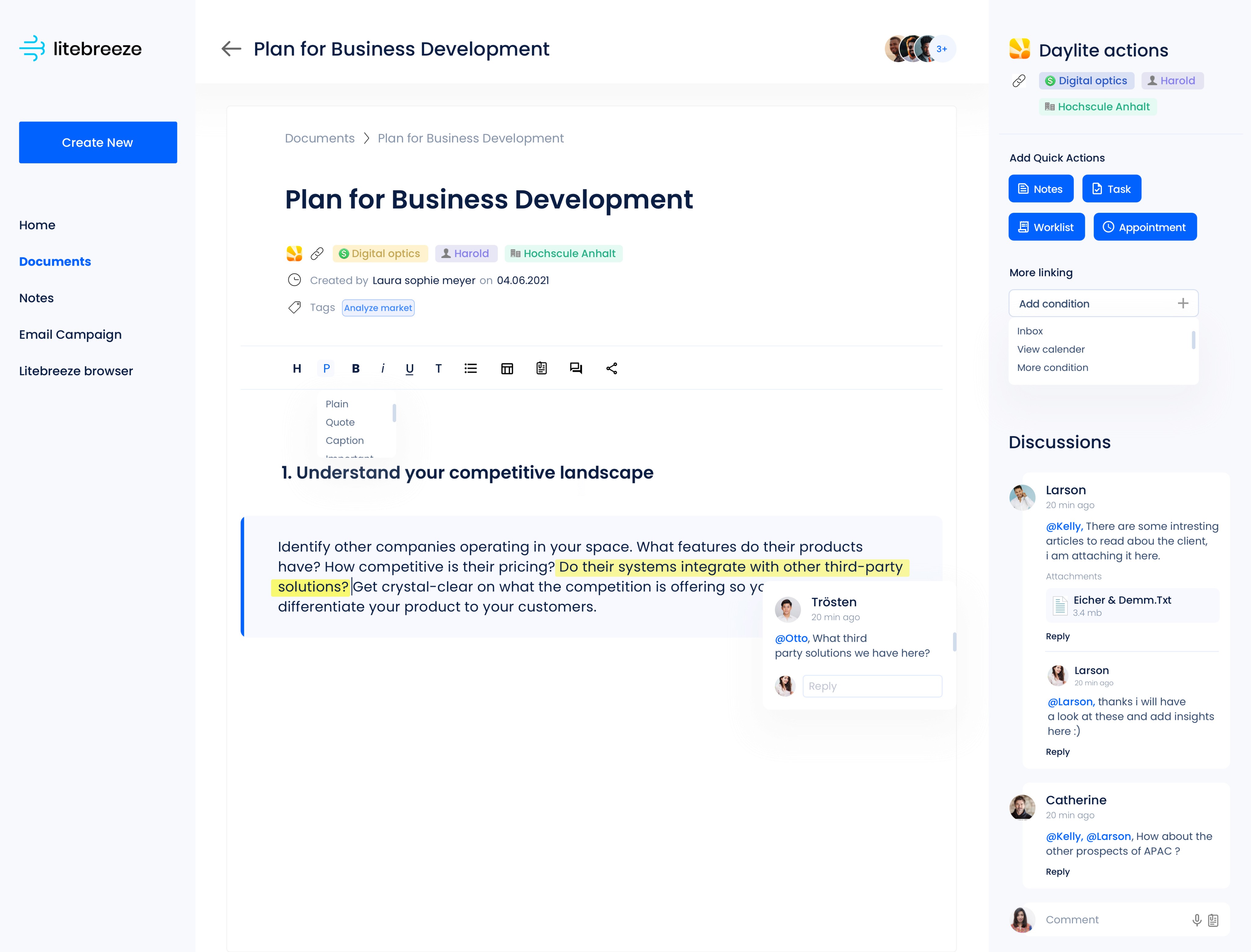
Final LiteBreeze plugin Demo...
Key product screens...
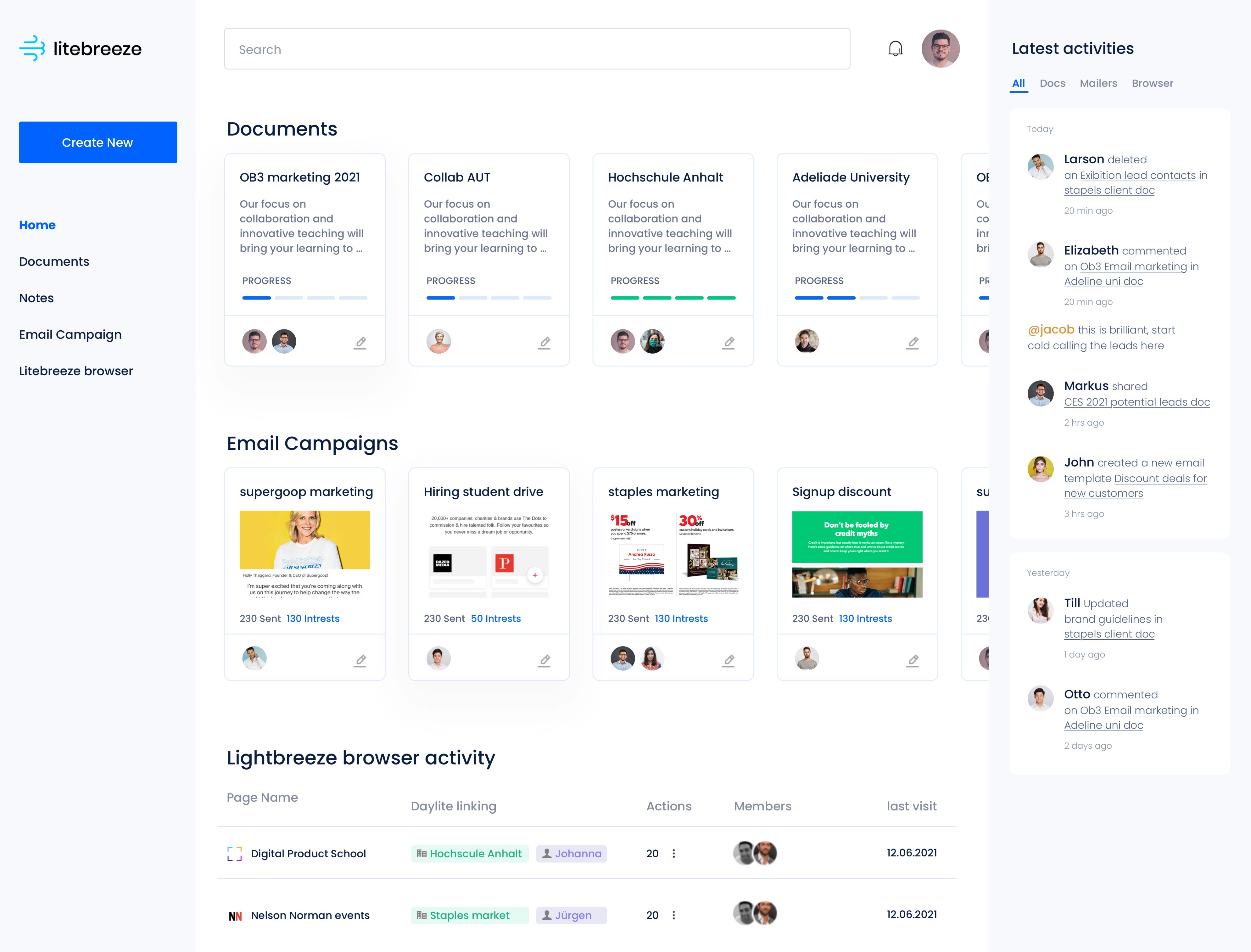
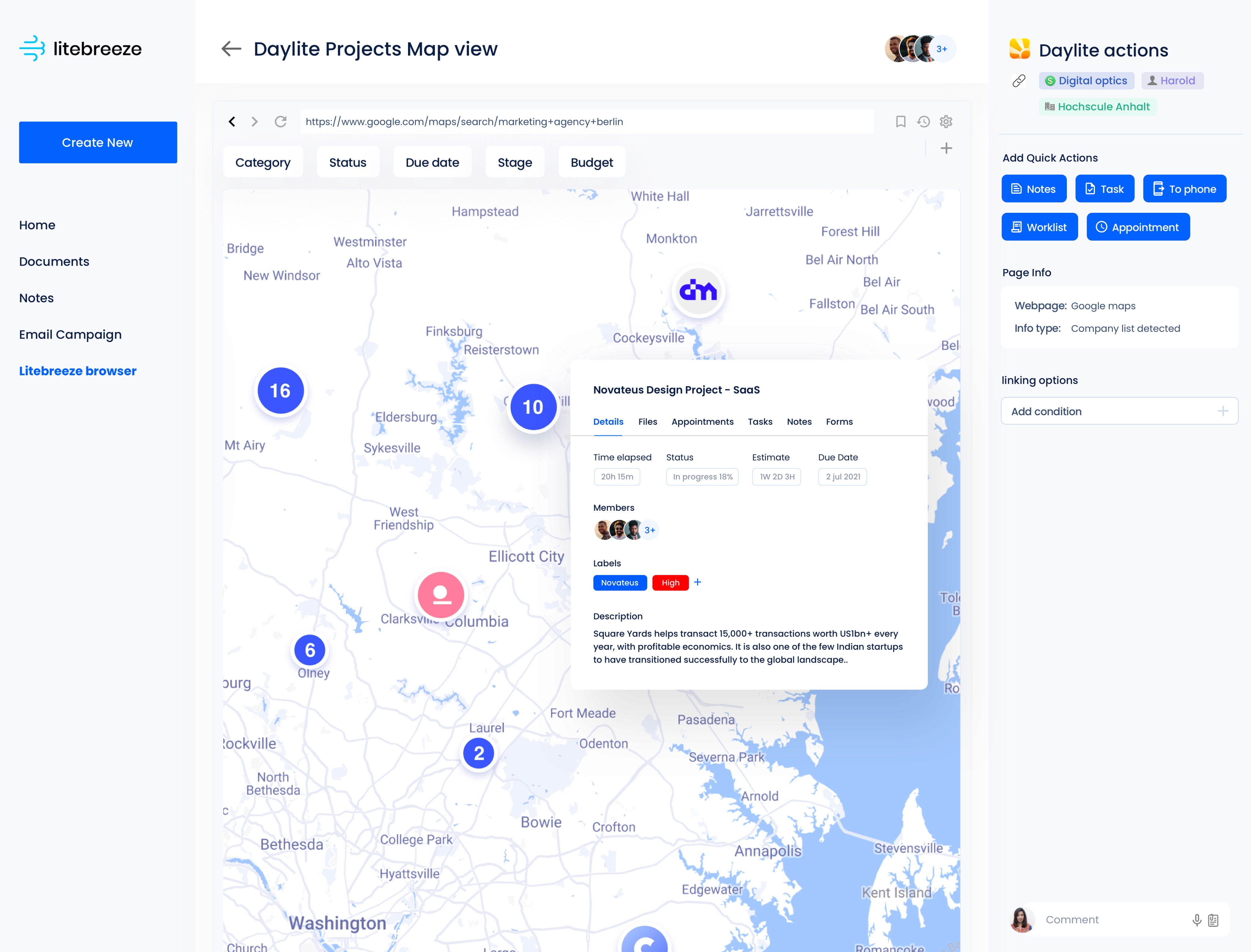
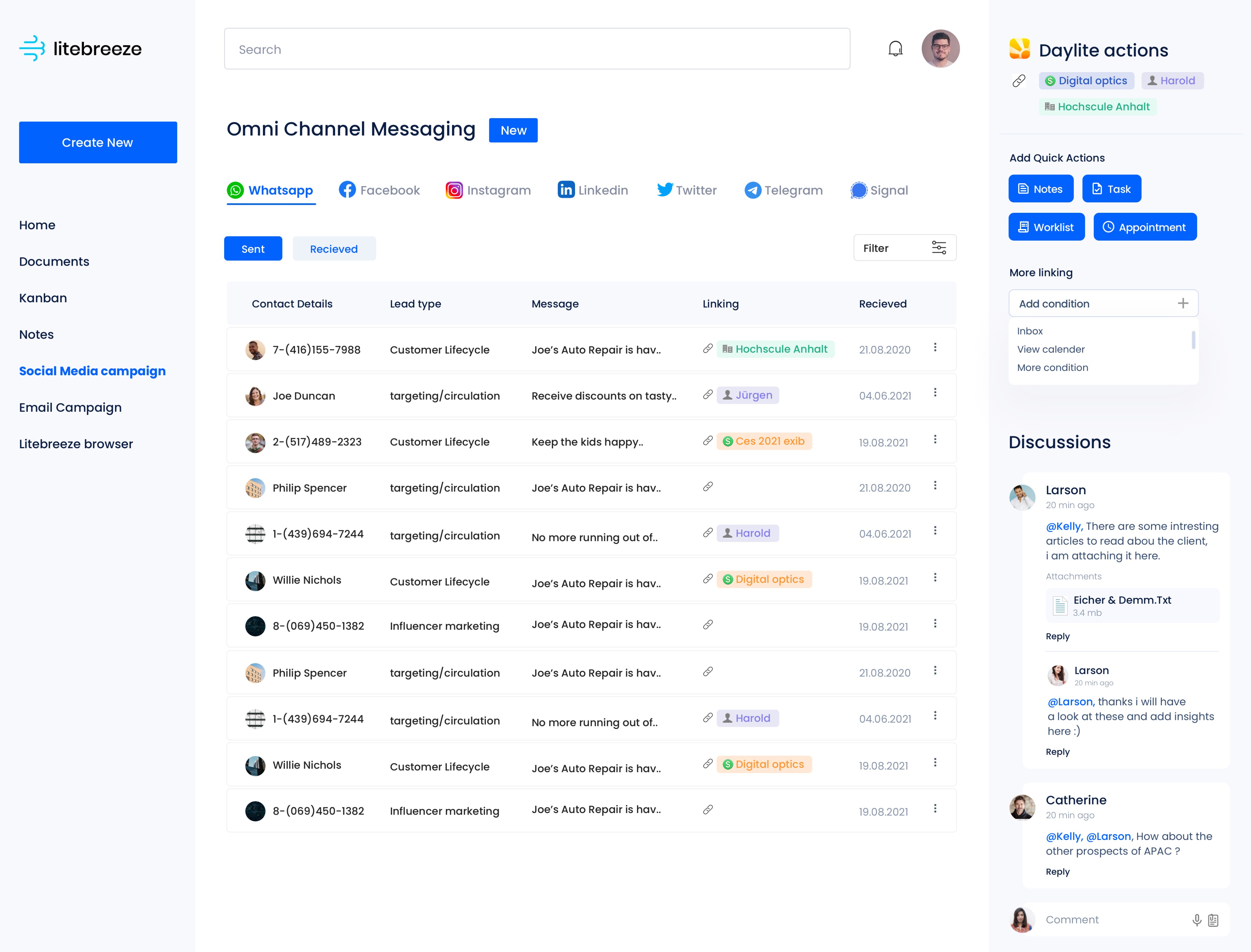
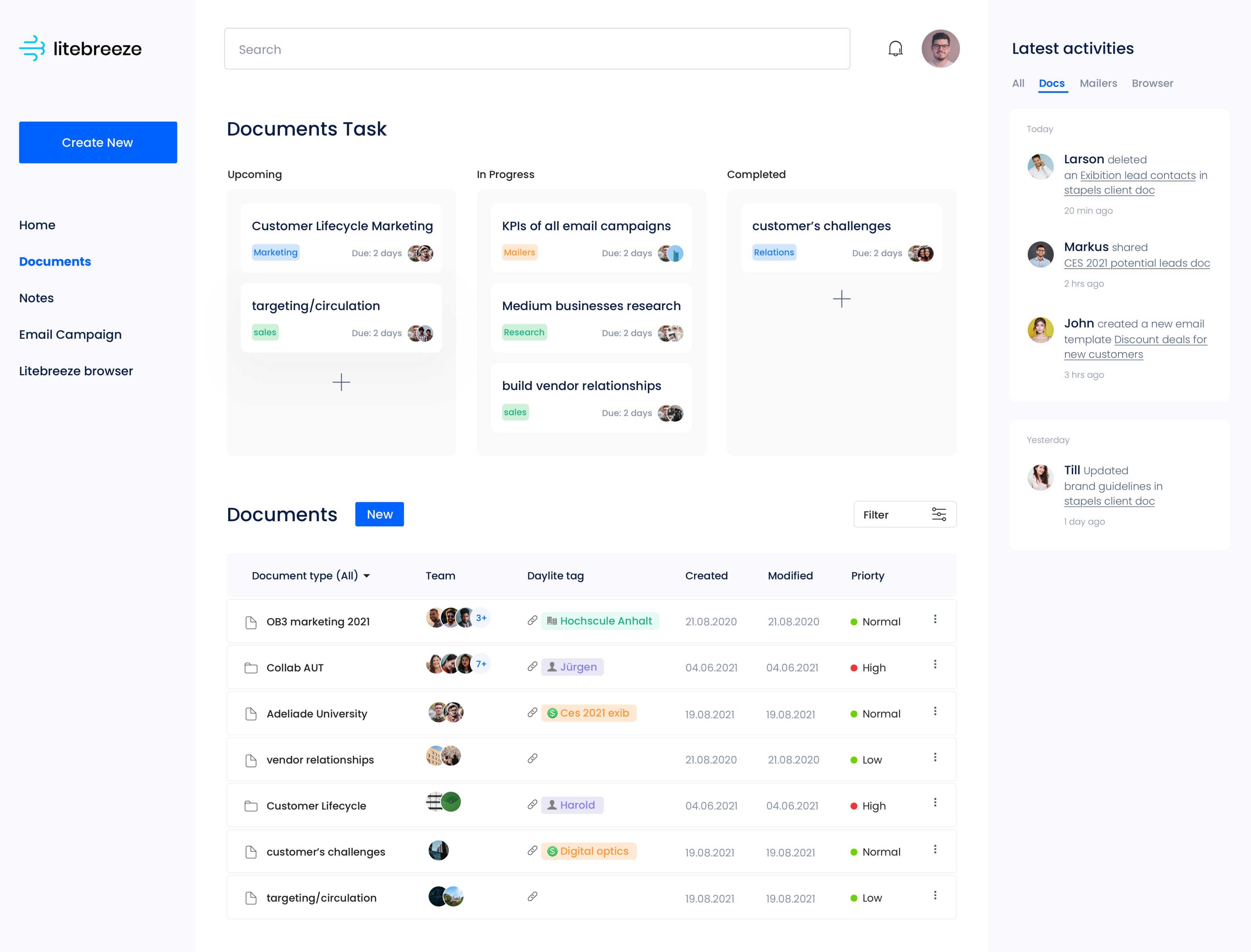
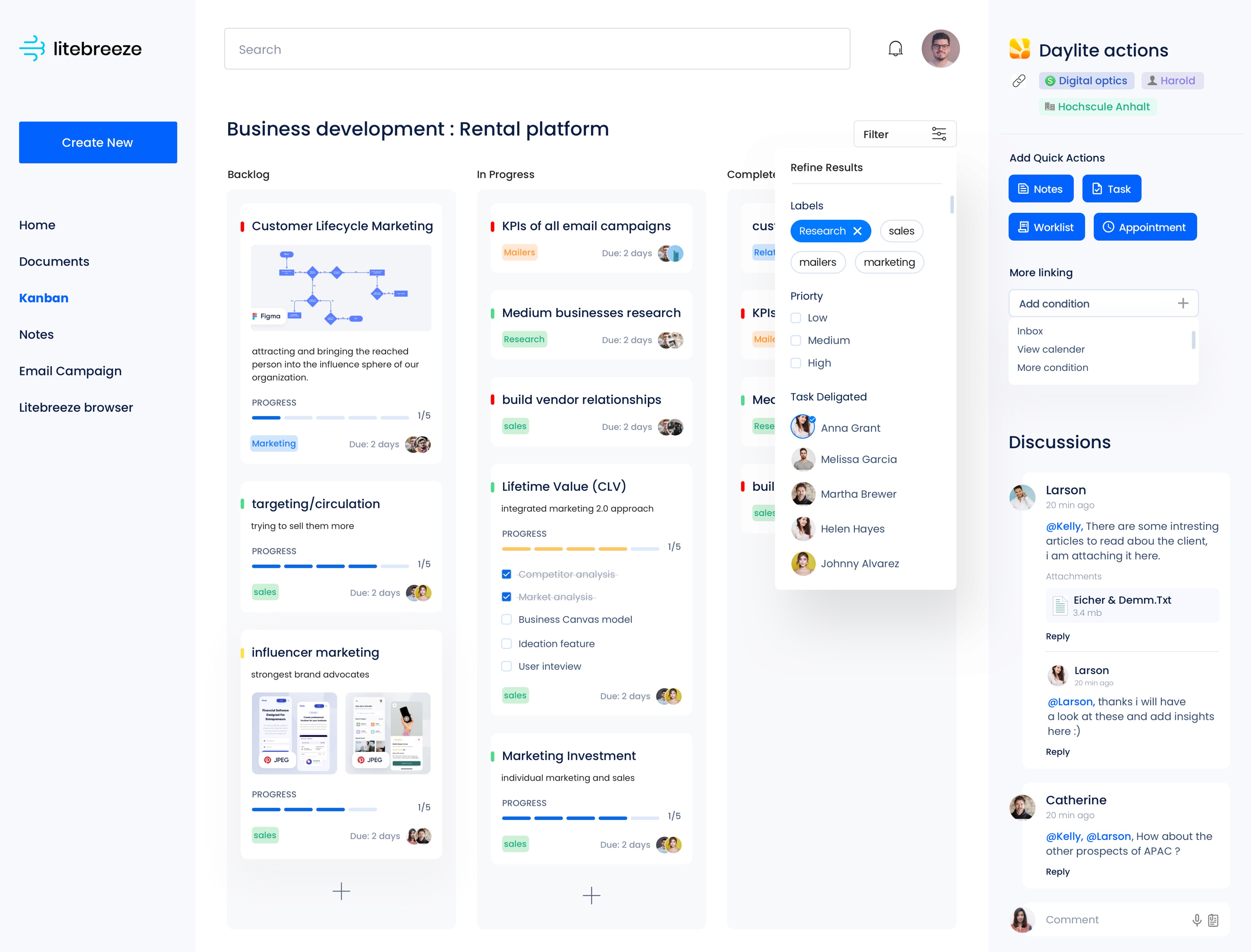
Daylite CRM Plugins
Productivity enhancers
Ob3 develops online academic study software for Authoring, Publishing, Collaboration and Institutional Networking ( Like Moodle, Incom etc.)
OB3 wanted to expand its tech domain making plugins for CRM softwares, especially Daylite because it lacks features related to Quick Lead generation.
Company
OB3 NZ
Role
UX Research
UI & UX Design
Industries
Productivity
Date
Jan 2022
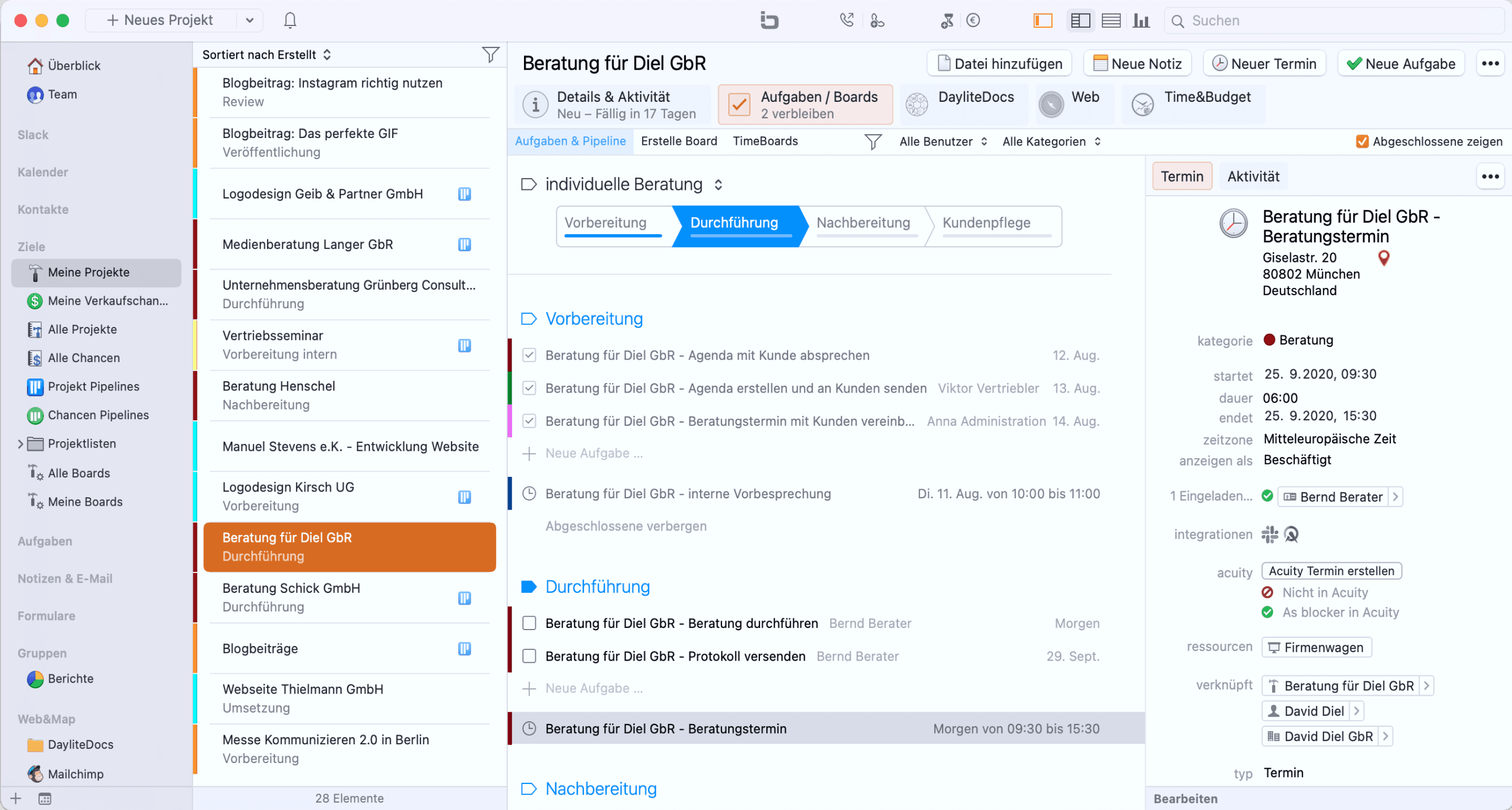
So what is Daylite CRM ?
Daylite CRM supports day to day work, for small business and runs on Mac and ios.
Manages calendars to sharing tasks and collaborating on projects.
Daylite is productivity-focused design to help team get more done.
Stakeholders that use Daylite...
Construction
& building firms
Photography Studios
Real Estate
Agency
Financial
Services
How does the client current platform works ?
Its a web based platform.
Teachers and professors can create online notes for students in a hour.
They can simply drag and drop Text, Images, Video, Presentations and create student notes faster.
Comment and discussion session can also
be added.

Potentials the platform integration can bring to Daylite...
As seen here Daylite CRM is click intensive and a lot of Data is to be entered manually.
Taking notes about future clients is manual and not multimedia interactive.
Building knowledge and Wiki about future clients is non existent.
All these pain points can be resolved using web Data parsing, automation & plugging in Lite breeze to Daylite.

SWOT analysis to understand the capability of theplugin to be developed...
Strengths
Speedy
Fast intuitive customer
knowledge-building tool
Plenty data parsing
Contents can be parsed or dragged from:
Webpages | Video platforms | Presentations | Keynotes | Excel sheets| Screenshots
| Audio recordings
Least clicks
Information Moving
and receiving with least number of clicks
Content Discussion
Build, discuss, ask and comment on questions
Weakness
Undefined usecases
all CRM usecases and Edgecases has not been identified
Niche stakeholders
Plugin would cater niche depts. in companies (Sales, marketing, Hr)
Limited to Mac
Product pipeline limited to Just for mac users
Threats
Dropbox, Docs, etc…
Platform such as miro, Drive and Docs can be used as alternative though (But it wont be interactively linked to daylite)
SAP Confluence
Notion and confluence
offers similar experience though they are bigger platforms and cant be linked as plugin to daylite
Daylite updates
Daylite might release
similar features in future
Data breach issues
Data security issues might arise when parsing data from corporate social platforms (linkedin, twitter etc)
Opportunities
Personalized Mails
Personalized email content creation for customers due to multimedia capablity
Integration with HRIS
Plugin can be integrated to Hr Management tool for recruiters building knowledge database for high profile hires
usecase as chrome plugin
Web Chrome plugin can extend customer knowledge building capacity and parse data
Auto knowledge update
monthly Data update by web parsing Customer knowledge content.
Interview with stakeholders and questionnaire
Warm-up questions
Which CRM software(s) has your company used in the past 5 years?
Do you have one you prefer over the others, and why?
Parsing from web sources
Do you collect data from various web sources and store/paste it into the different sections of your CRM?
Eg: company name, links, people, LinkedIn info, or any other info that help grow business.
Custom fields
For which purposes do you use the custom fields that are located in People and company data?
Spending time collecting data
Time collecting or fetching data from other Softwares like, Jira, Confluence, Spreadsheet, Word, Google Forms etc into CRM?
Use of other integration tools
Third party integration tool or plugin (like Zapier) with your CRM to make your workflow more efficient? If yes, which one(s) do you use and what are the top two tasks that you do with it.
Performing bulk actions
Multi form fillings?
Watching users
in CRM environment
Users thinking out loud and doing these tasks
Filling forms Filling People data Company data project pipelines Activity timelines

Finding key analysis from the interview
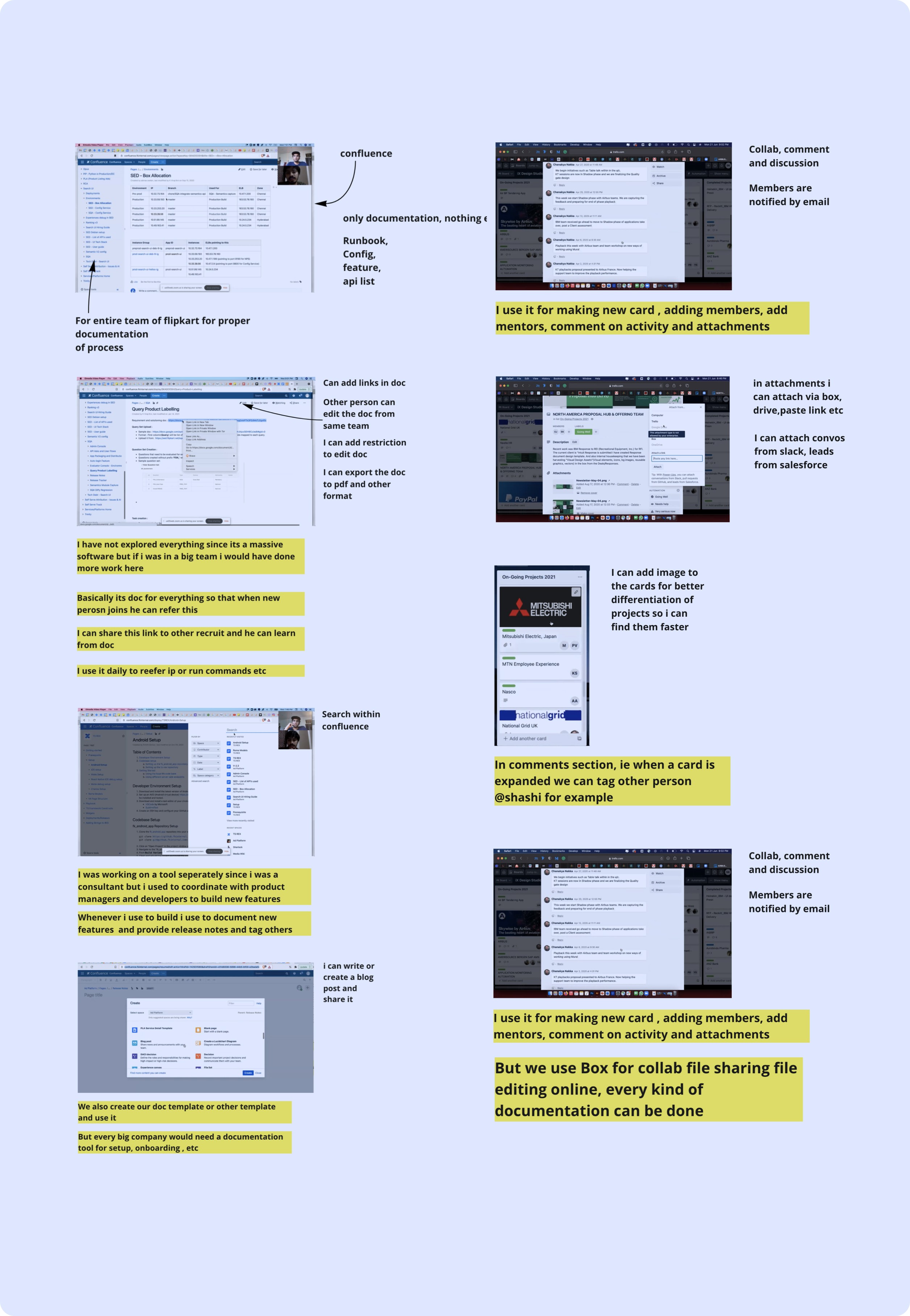
Tool can allows users to convert structured data into CRM inputs through parsing, right-clicking, fetching, and API transfers.
I can imagine it to be used as confluence for creating M.O.M etc after meeting while on zoom call…
I can imagine creating my release notes and documentation here, tag other people and send the link to people in organization
Form fetching feature is useful for updating contacts with info when users promote content on Instagram and someone fills form via stories.
user appreciates Google Keep for features, such as adding drawings, images, files, organising them as cards, suggests a similar flowing interface.
Finalising opportunity areas based on findings
Media-rich authoring of emails and newsletters connected to Daylite.
Mail communication (e.g. Marketing, contact).
And template email messages.

Application with ob3 doc and embedded browser for seamless interaction.
(e.g. selecting text in browser suggests action in document or to Daylite.
Browser Integration: Create a new company and user from webpage info.
Add user to existing company, create media-rich note from blog, include Maps, etc.
Media-Rich Collaborative doc building in various Daylite areas.
Capture leads & clients web info quickly, efficiently.
Integrate Tasks, Appointments, Meetings with ob3.
The ability to store/compile it in a visual interface.
E.g. Ideations for a variant dashboard for home
Visual information is easier to remember and navigate
